Step 01
Connect GitHub in Settings
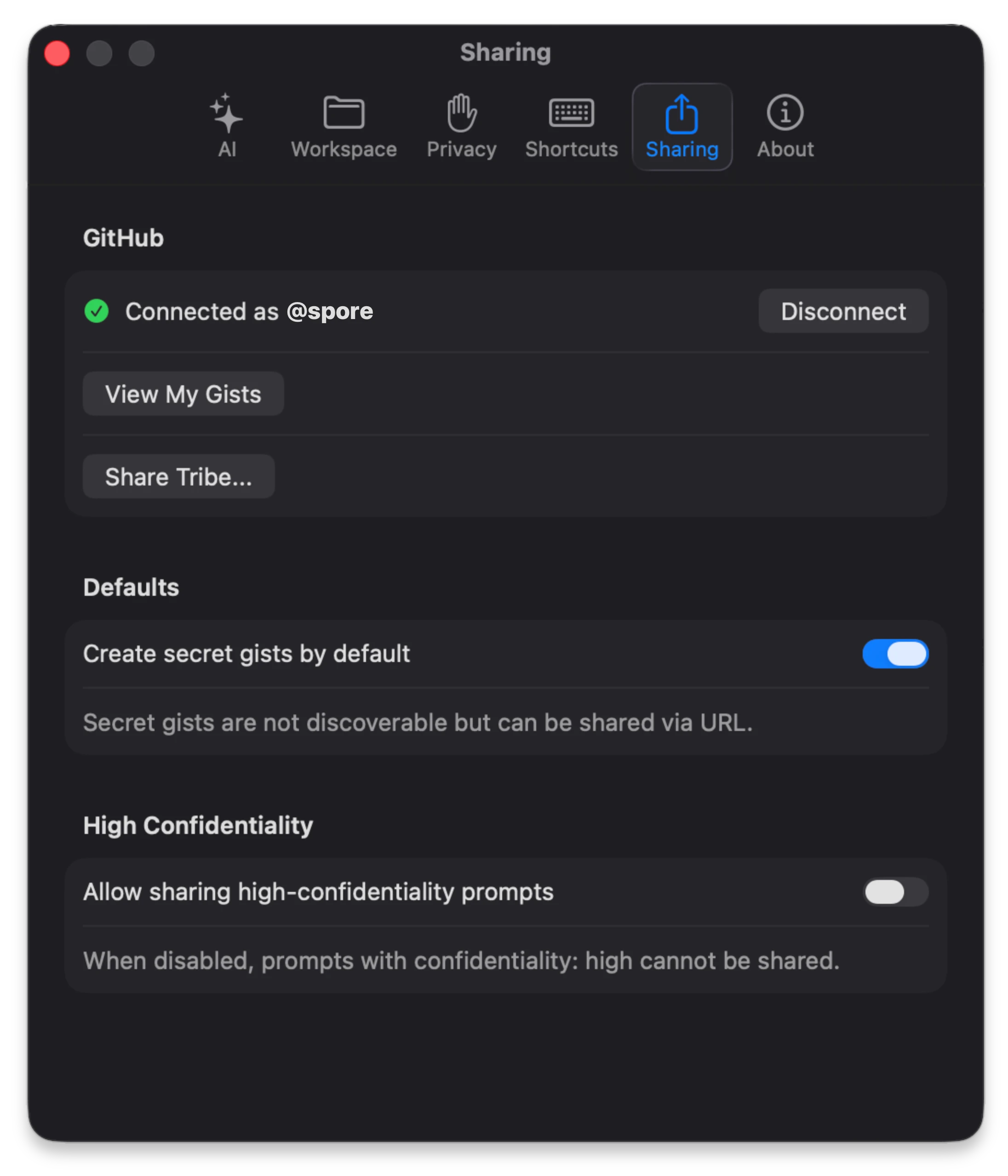
Connect with a Personal Access Token that includes gist scope, verify "Connected as @username", and configure defaults:
Create secret gists by default and
Allow sharing high-confidentiality prompts.
Use GitHub Gists to publish single prompts or entire tribes. Keep secret
by default, control confidentiality, and ship structured .spore.md workflows.
Connect with a Personal Access Token that includes gist scope, verify "Connected as @username", and configure defaults:
Create secret gists by default and
Allow sharing high-confidentiality prompts.
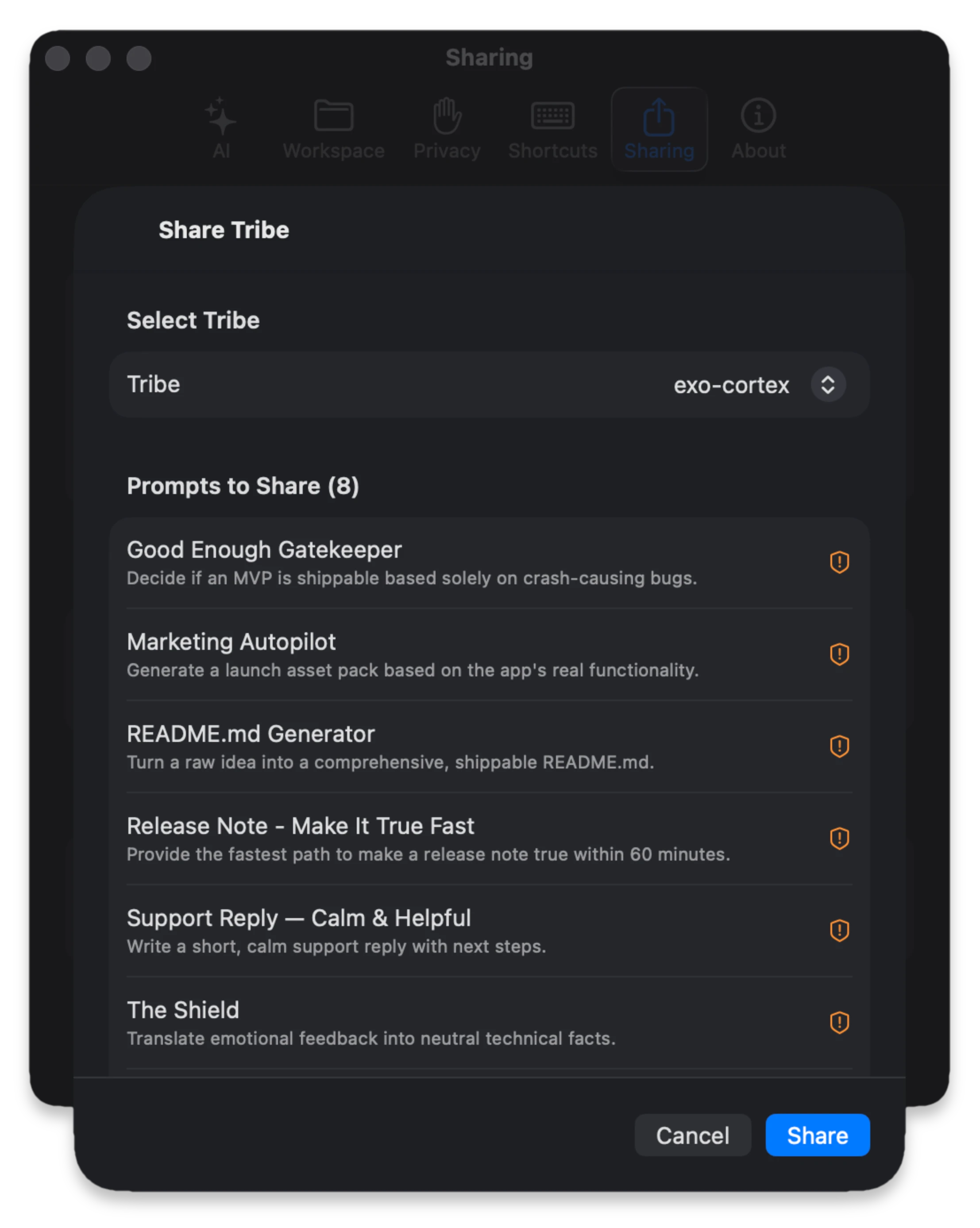
Open Settings → Sharing → Share Tribe..., choose a tribe_id, inspect the included prompt list, and pick visibility (secret
or public). High confidentiality prompts show warning indicators
and are excluded unless your setting allows them.
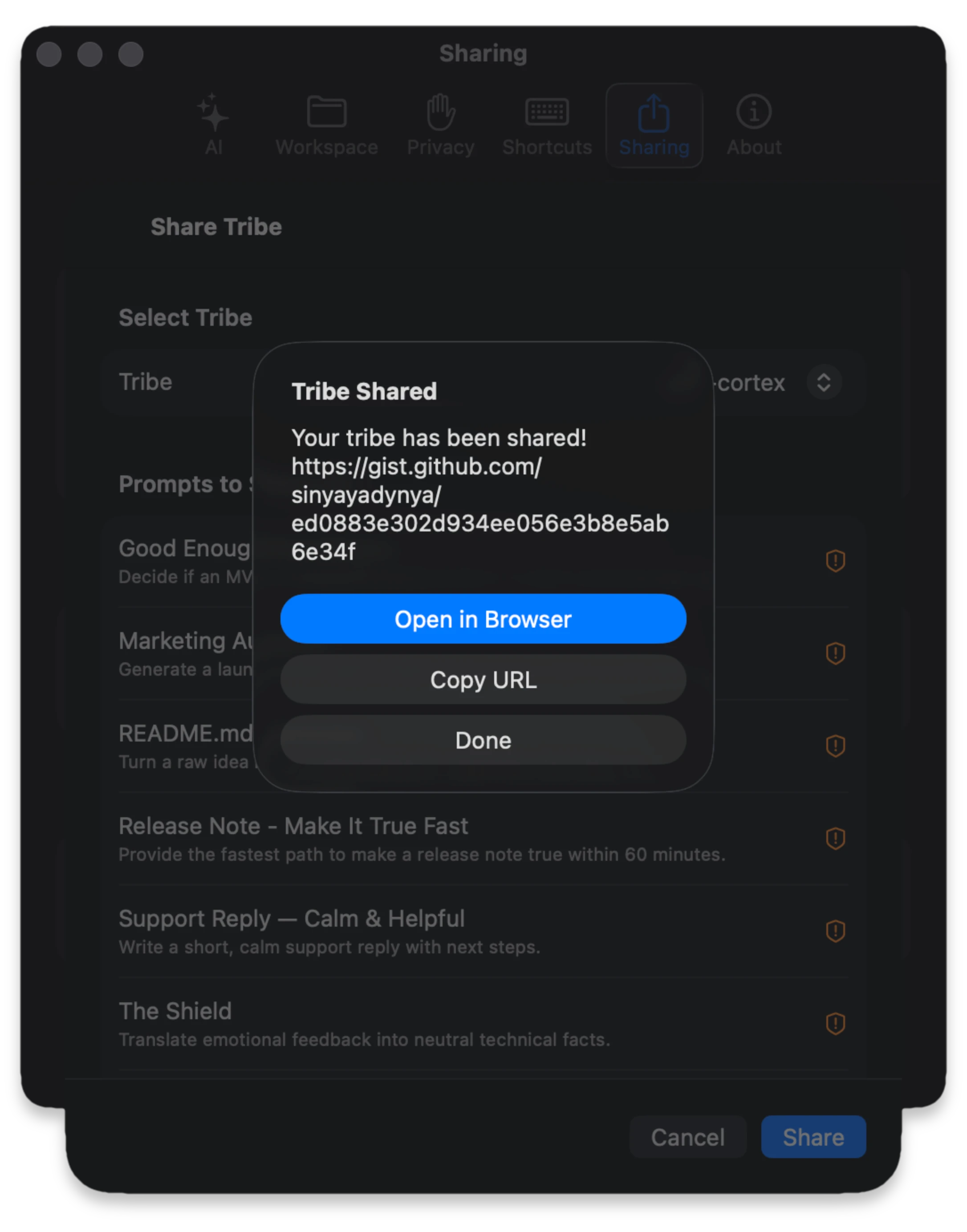
After upload, Spore shows a "Tribe Shared" dialog with the
generated gist URL and direct actions: Open in Browser and Copy URL.
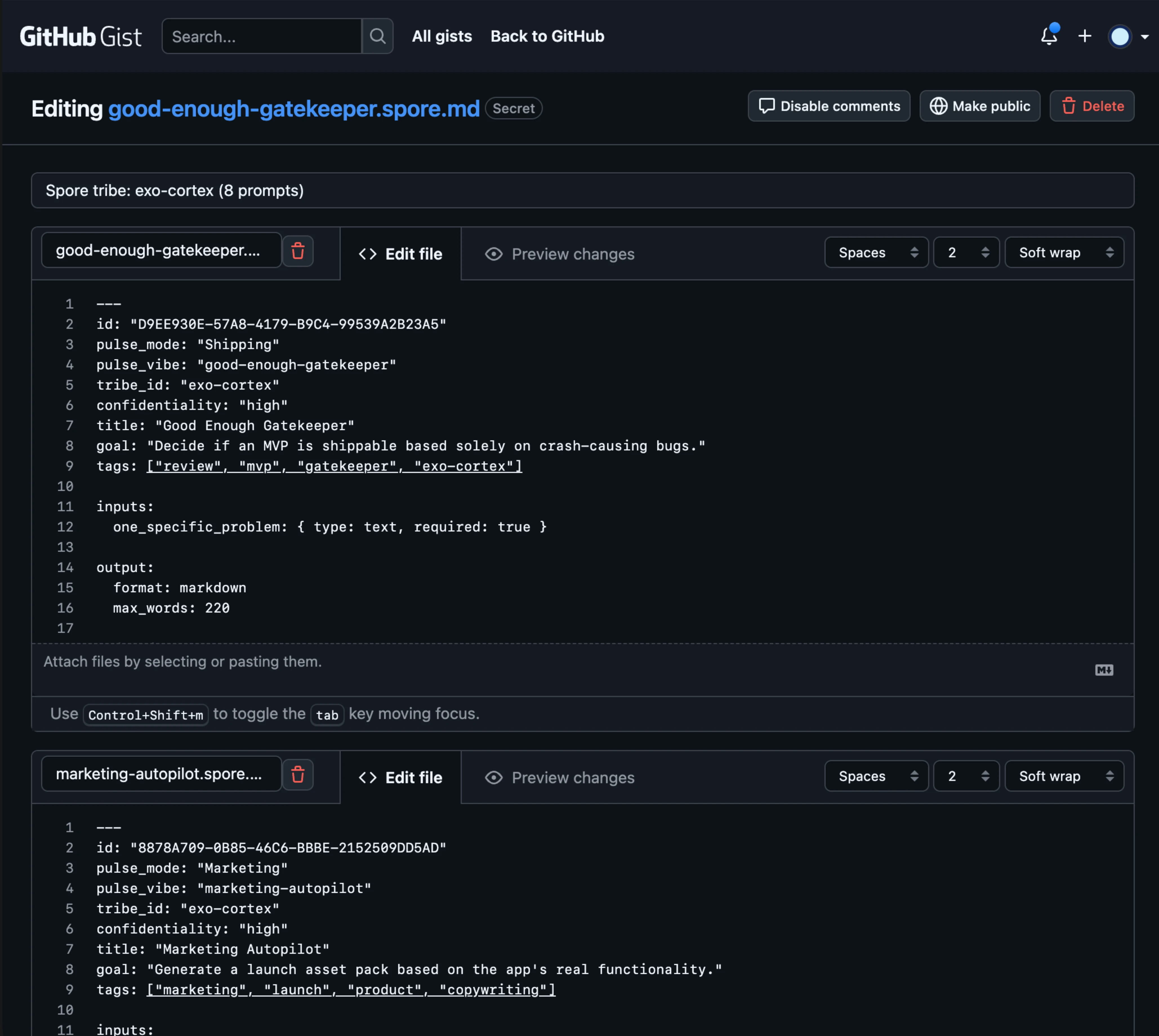
Tribe sharing creates a single gist whose files are the prompts
in that tribe. You can see multiple .spore.md files under
one gist description, such as
Spore tribe: exo-cortex (8 prompts).
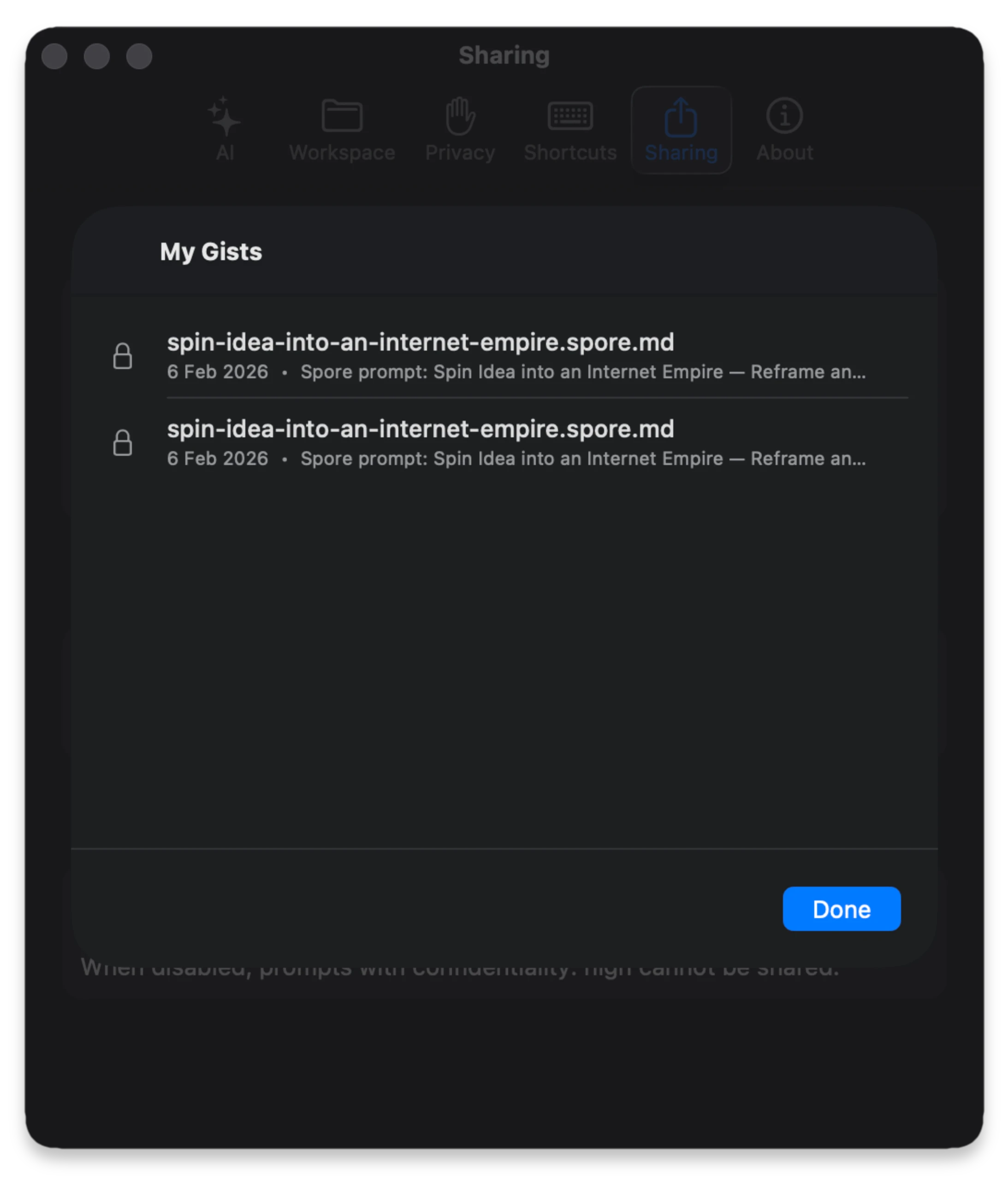
Use View My Gists to list Spore-related gists. The list
focuses on
.spore.md entries for quick browse, copy URL, open, and
delete operations.
Share Tribe... does not merge existing GitHub
gists.
tribe_id.
tribe_id in front matter,
then use Settings → Sharing → Share Tribe....
tribe_id to multiple .spore.md files.
Settings → Sharing → Share Tribe....
GitHub sharing requires a Personal Access Token with gist scope.
Your token is stored locally in your keychain.
Secret gist creation is enabled by default to prevent accidental data leaks. This behavior is fully configurable in sharing preference.
Prompts marked confidentiality: high are strictly blocked from
sharing unless you explicitly enable the safety override in Settings.
Spore prevents creating empty gists. If all prompts in a selected tribe are excluded by privacy rules, the sharing process will be safely aborted.
tribe_id to the front matter of multiple .spore.md files, then reopen
Settings → Sharing → Share Tribe....
gist scope, and reconnect under
Settings → Sharing.
confidentiality: high and whether "Allow sharing high-confidentiality prompts" is enabled
in your Spore Sharing preference.
Create Secret Gist or
Create Public Gist.